Functioning prototypes
Working Microsoft solutions tested end to end against defined acceptance scenarios.
Stephanie Clifton · The AI Elective
I explore how Microsoft AI technologies could help schools and trusts reduce workload, improve decision-making and build sustainable AI capability. The AI Elective documents my consultancy-style proof-of-concept solutions, adoption frameworks and learning journey.
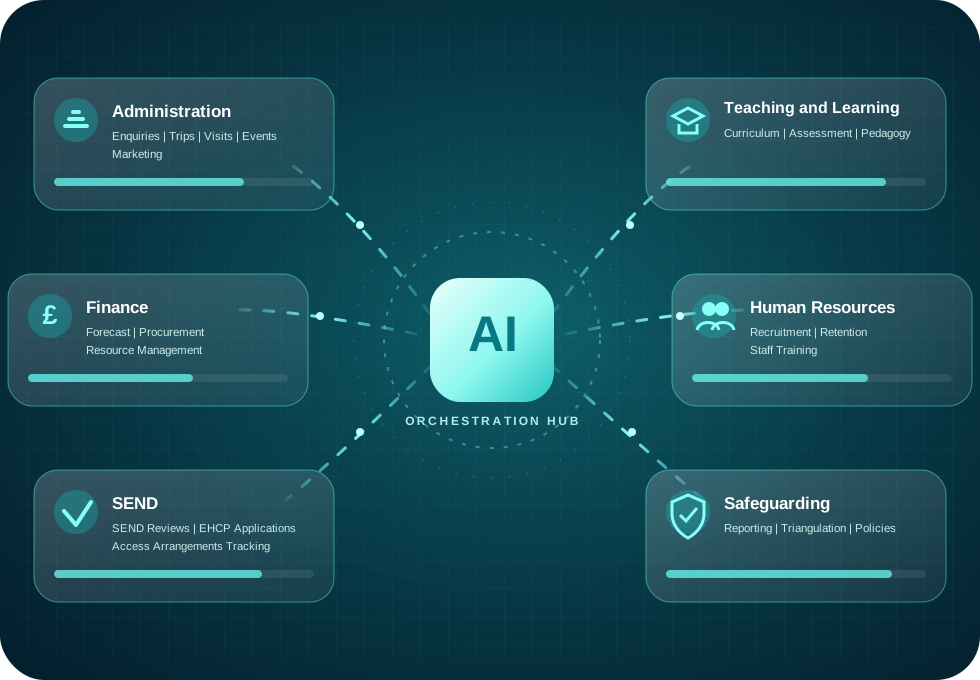
What you will find here
The Solutions Page separates fully functioning, tested prototypes from active builds and earlier-stage concepts, so the maturity of every solution is immediately clear.
Working Microsoft solutions tested end to end against defined acceptance scenarios.
Thoughtful use of Copilot, Copilot Studio, Power Platform and connected services.
Discovery, prioritisation, governance, piloting, measurement and scaling.
Honest reflections on decisions, mistakes, certifications and evolving practice.
Powered by Microsoft
Familiar Microsoft services working together as one secure, governed ecosystem rather than a disconnected collection of tools.
Productivity foundation
 Microsoft 365
 Dataverse
AI and agent layer
 Microsoft Copilot
 Copilot Studio
 Azure AI Foundry
Action, apps and insight
 Power Automate
 Power Apps
 Power BI
 Microsoft Fabric
Enterprise controls, privacy and governance.
People remain accountable for important decisions.
Transparent, inclusive and proportionate by design.
Every concept is linked to clearly defined expected outcomes.
Designed around outcomes
Creating organisational capacity through intelligent automation of repetitive, low-value work.
Every concept begins with a business problem and defines the expected outcomes, implementation approach and measures that would be used to evaluate impact.
Built with governance, transparency, data protection and meaningful human oversight from the outset.
From the Staffroom
The latest reflections from the journey into Microsoft's AI ecosystem. This section updates automatically whenever a new Staffroom entry is added.
Musings from the learning journey.
The AI Elective Solutions
Explore solutions by maturity: fully built and tested prototypes first, active builds next, then the wider concept library.
Built
Two end-to-end solutions that have been acceptance tested, regression tested and documented with downloadable portfolio evidence.
School Admin
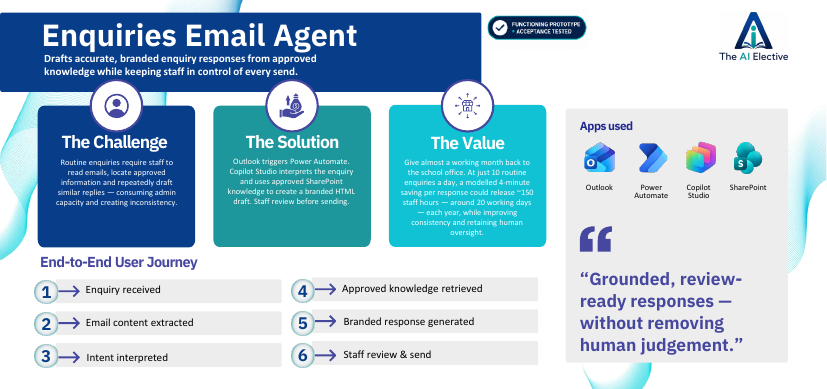
Drafts accurate, branded enquiry responses from approved knowledge while keeping staff in control of every send.
Routine enquiries consume administrative capacity and can produce inconsistent responses. This prototype tests whether grounded AI drafting can release time while retaining human judgement.
Copilot StudioPower AutomatePortfolio evidence
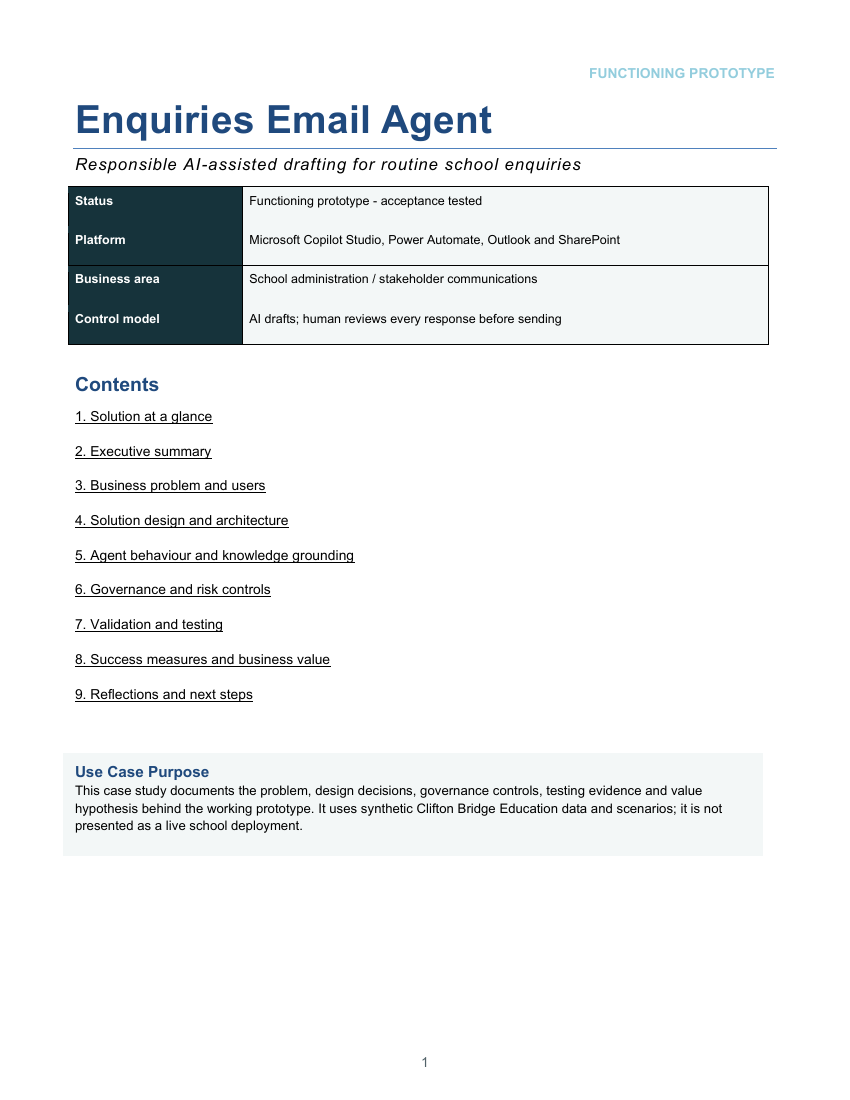
Leadership
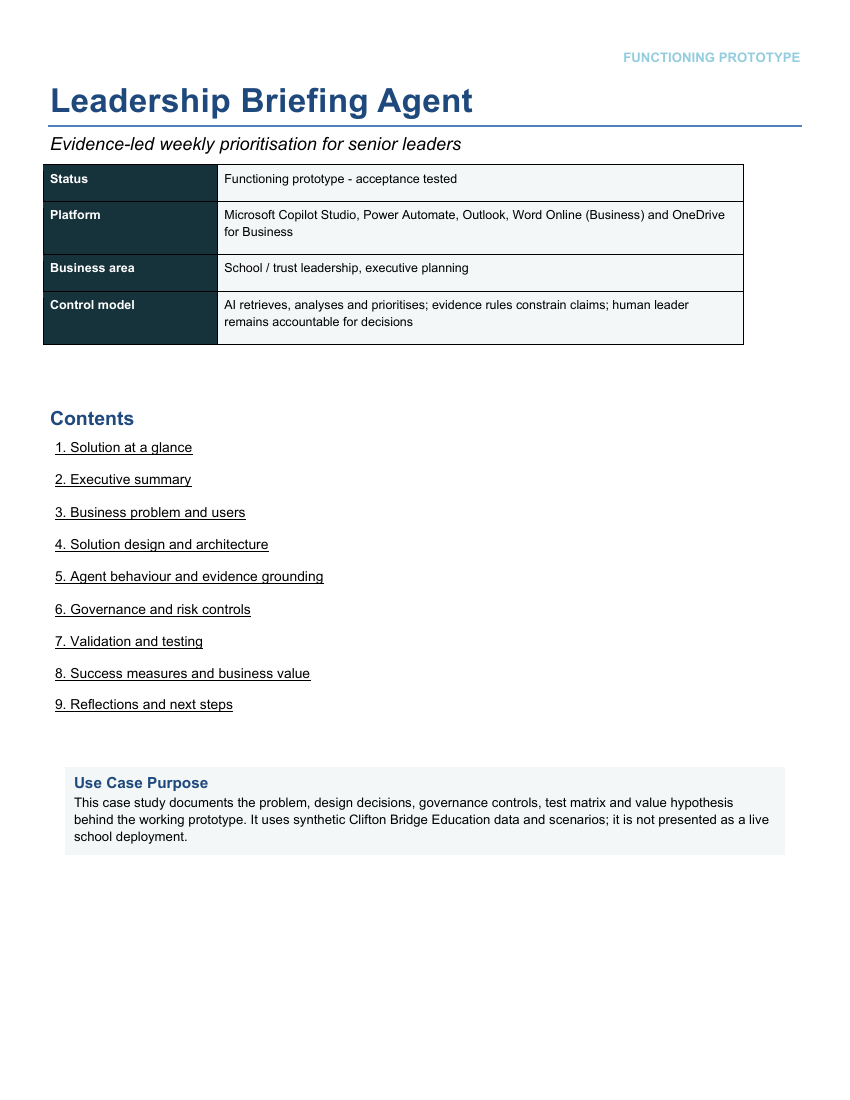
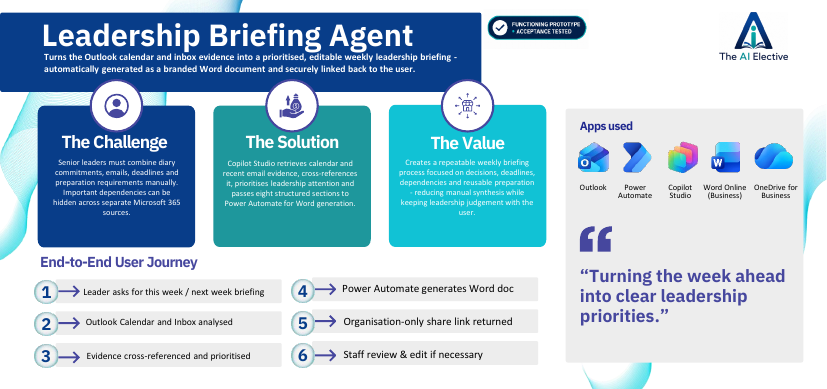
Turns Outlook calendar and inbox evidence into a prioritised, editable weekly leadership briefing.
Senior leaders spend time reconciling diary commitments, emails, deadlines and preparation requirements. I built this to test whether Microsoft 365 evidence could be turned into a selective, decision-focused weekly briefing.
Copilot StudioPower AutomatePortfolio evidence
In Build
Active builds with the intended workflow and Microsoft architecture defined; detail will expand as each functioning prototype is completed and tested.
Teaching & Learning
Coordinate intervention groups, registers and attendance insight in one joined-up workflow.
Intervention is often managed across separate lists, registers and reports. This prototype is being built to connect student allocation, session attendance and leadership insight in one practical workflow.
Power AppsDataversePower AutomatePower BI
Teaching & Learning
Give teachers faster access to trusted guidance, resources and design principles, rooted in your organisation’s resources.
Teachers need quick access to trusted organisational guidance without losing professional autonomy. I built this to create useful starting points grounded in an organisation’s own resources and design principles.
Microsoft CopilotCopilot StudioConcept library
Earlier-stage ideas kept intentionally concise: the problem, the proposed use and the Microsoft stack.
Central Services
Create consistent school communications while protecting brand quality and governance.
Microsoft CopilotPower Automate
School Admin
Simplify trip administration by bringing information, documents and communications together.
Power AutomateDataverse
Leadership
Capture decisions automatically and keep actions visible, owned and on track.
Power AutomateMicrosoft 365
Pastoral & Safeguarding
Identify attendance patterns earlier so staff can intervene with greater confidence and impact.
Power BIPower Automate
SEND & Student Support
Update staff and help them navigate EHCP documentation more efficiently while supporting consistent practice.
Copilot StudioDataverseNo matching solutions found.
My AI adoption approach
This is the process I would use to turn an opportunity into a governed pilot and, where the evidence supports it, a sustainable implementation.
Understand users, workflows and friction.
Balance value, readiness and risk.
Shape the human-led solution and architecture.
Set controls, ownership and escalation.
Test safely with a defined user group.
Evaluate quality, value and experience.
Expand only where evidence supports it.
Why I built The AI Elective
I created The AI Elective to give myself a dedicated space to explore what effective AI adoption could look like across education.
Using realistic educational scenarios and consultancy-style methodologies, I've developed a portfolio of proof-of-concept solutions that demonstrate how Microsoft AI technologies could support schools and trusts. Each concept explores discovery, process redesign, solution architecture, governance and implementation planning, while remaining transparent about its current stage of development.
This portfolio reflects how I approach AI adoption: understanding the problem first, designing with people and process in mind, considering responsible governance from the outset, and focusing on measurable outcomes. While these concepts have not yet been deployed in a live organisation, they represent the way I think about solving real-world challenges and the type of work I hope to deliver at scale.
Understand the people, friction, risks and desired outcome before selecting a tool.
AI supports professional judgement; it does not replace safeguarding, governance or decision ownership.
Define pilot hypotheses around time, quality, capacity, consistency, experience and organisational value.
The AI Elective